⚡
Serverless by default
Inbound mail wakes a Worker, gets parsed, stored, indexed, and stops. Cloudflare handles the edge work.
Mailcove is a send-and-receive custom-domain inbox that runs on Cloudflare Workers. Mail lands in your R2 and D1, sends from your domain, and stays behind Cloudflare Access.
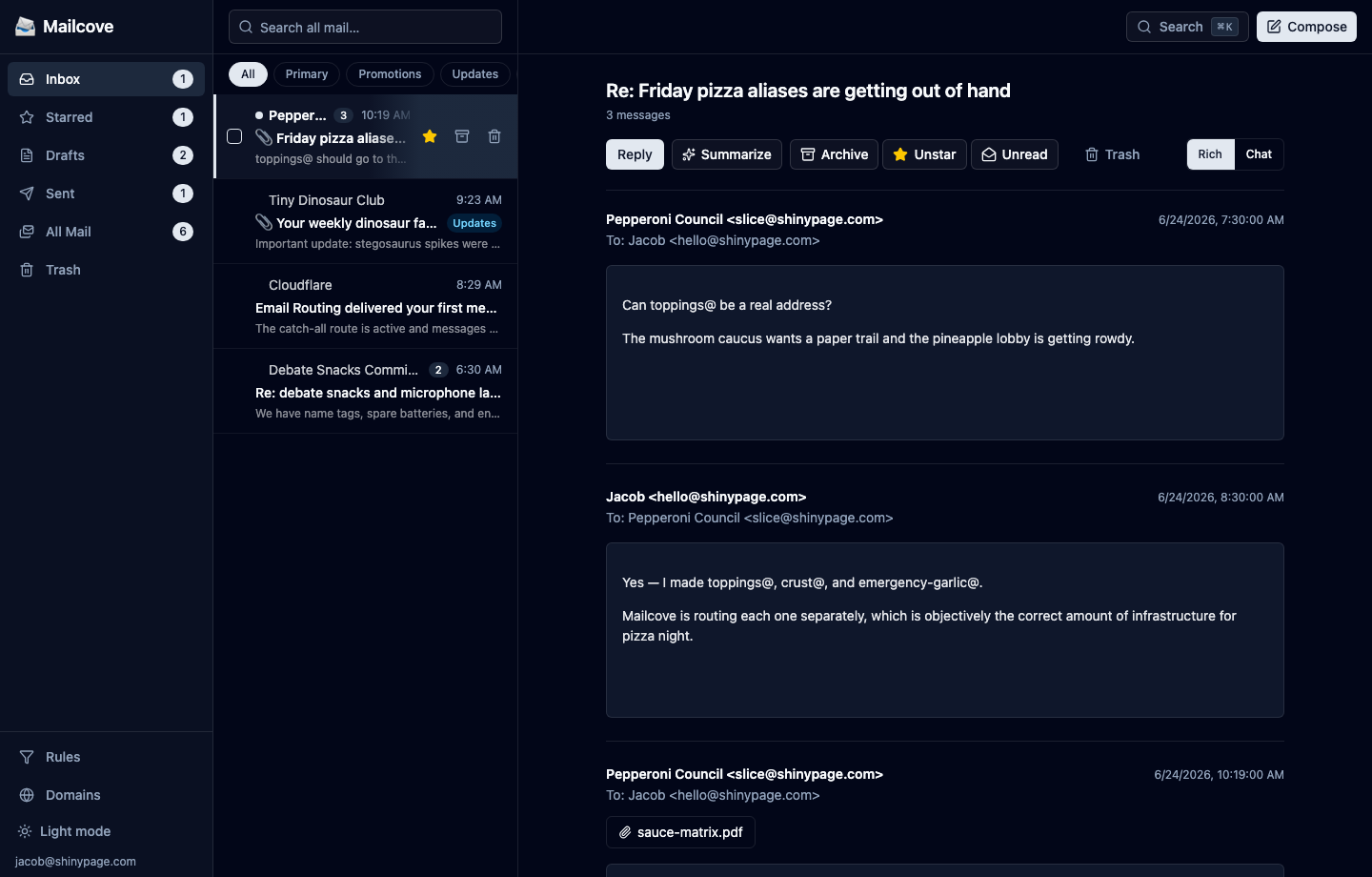
Inbound mail wakes a Worker, gets parsed, stored, indexed, and stops. Cloudflare handles the edge work.
Raw mail and attachments live in your R2. Metadata, threads, and search live in your D1. It is your Cloudflare account.
The inbox UI sits behind Cloudflare Access, and the Worker verifies the Access JWT on API requests.
Read, search, reply, switch between rich email and chat-style threads, and manage routing from one private UI. Mailcove keeps the familiar parts of email while moving the storage and control plane into your Cloudflare account.
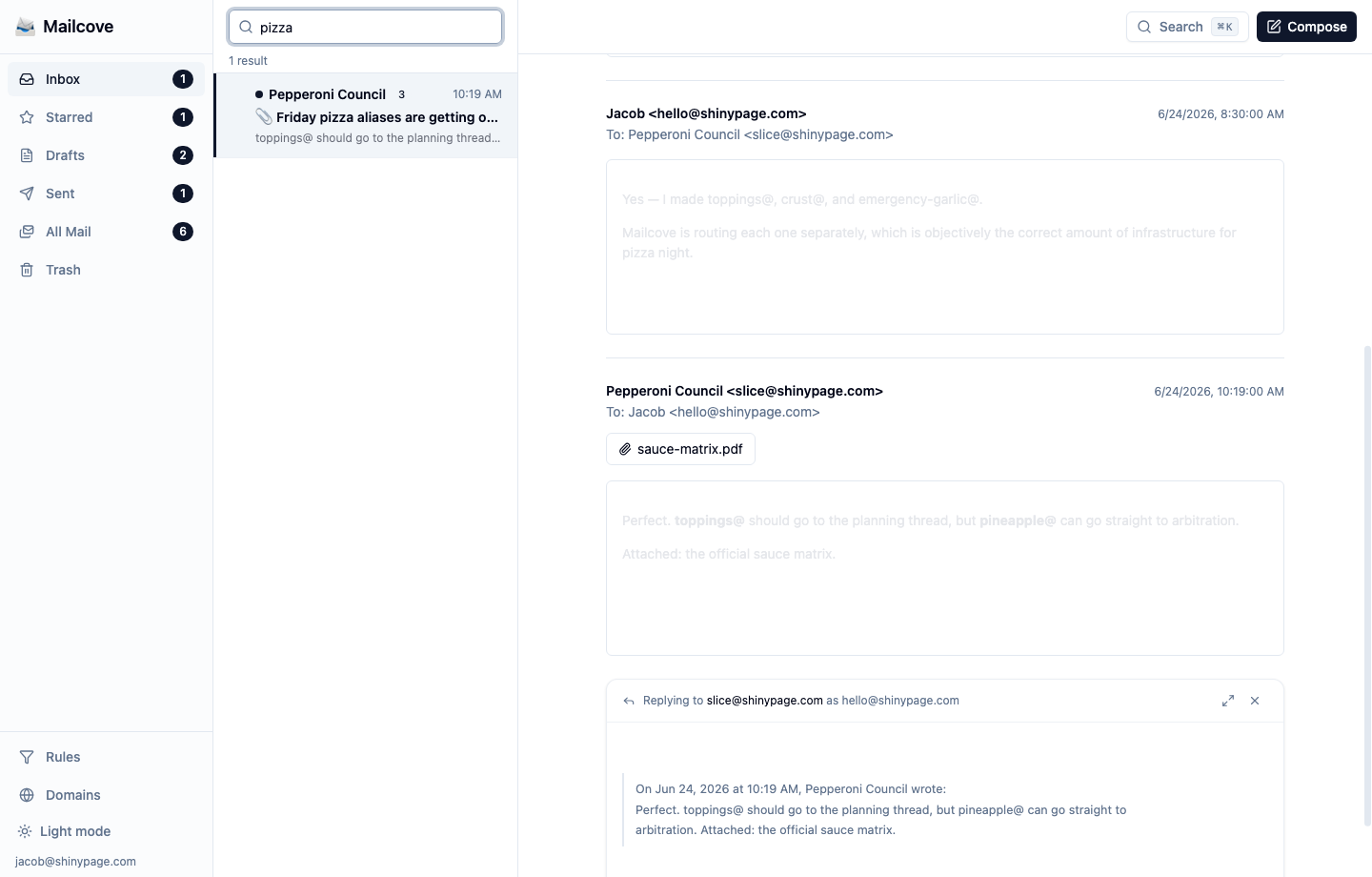
Full-text search runs across every message in your own D1. Open a thread and Workers AI summarizes the conversation inline: what was decided, what is pending, and what needs a reply.
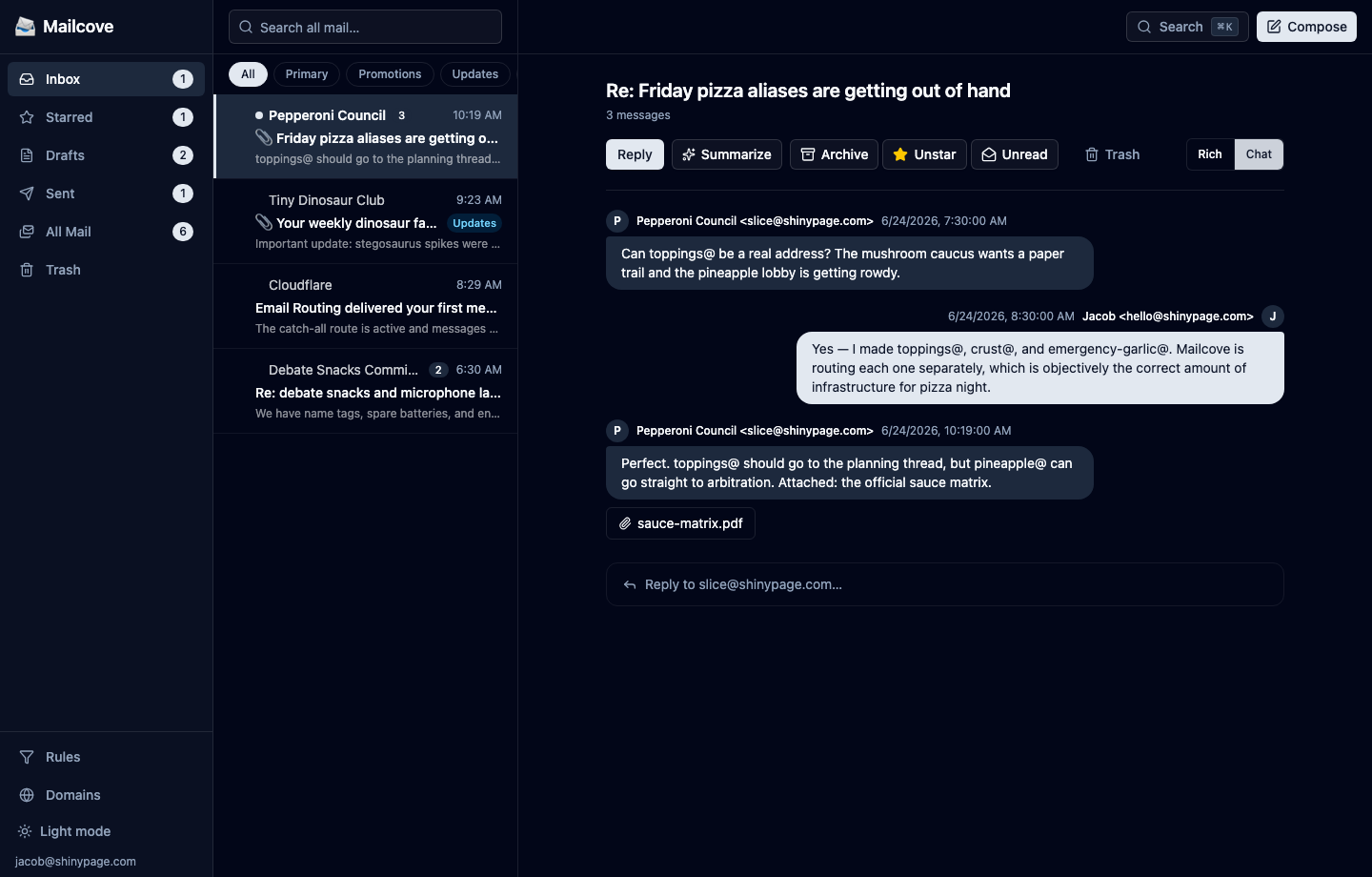
Rich view keeps formatted email in a sandboxed frame. Chat view turns the same thread into plain conversation bubbles, stripping the email cruft when you just want to catch up and reply.
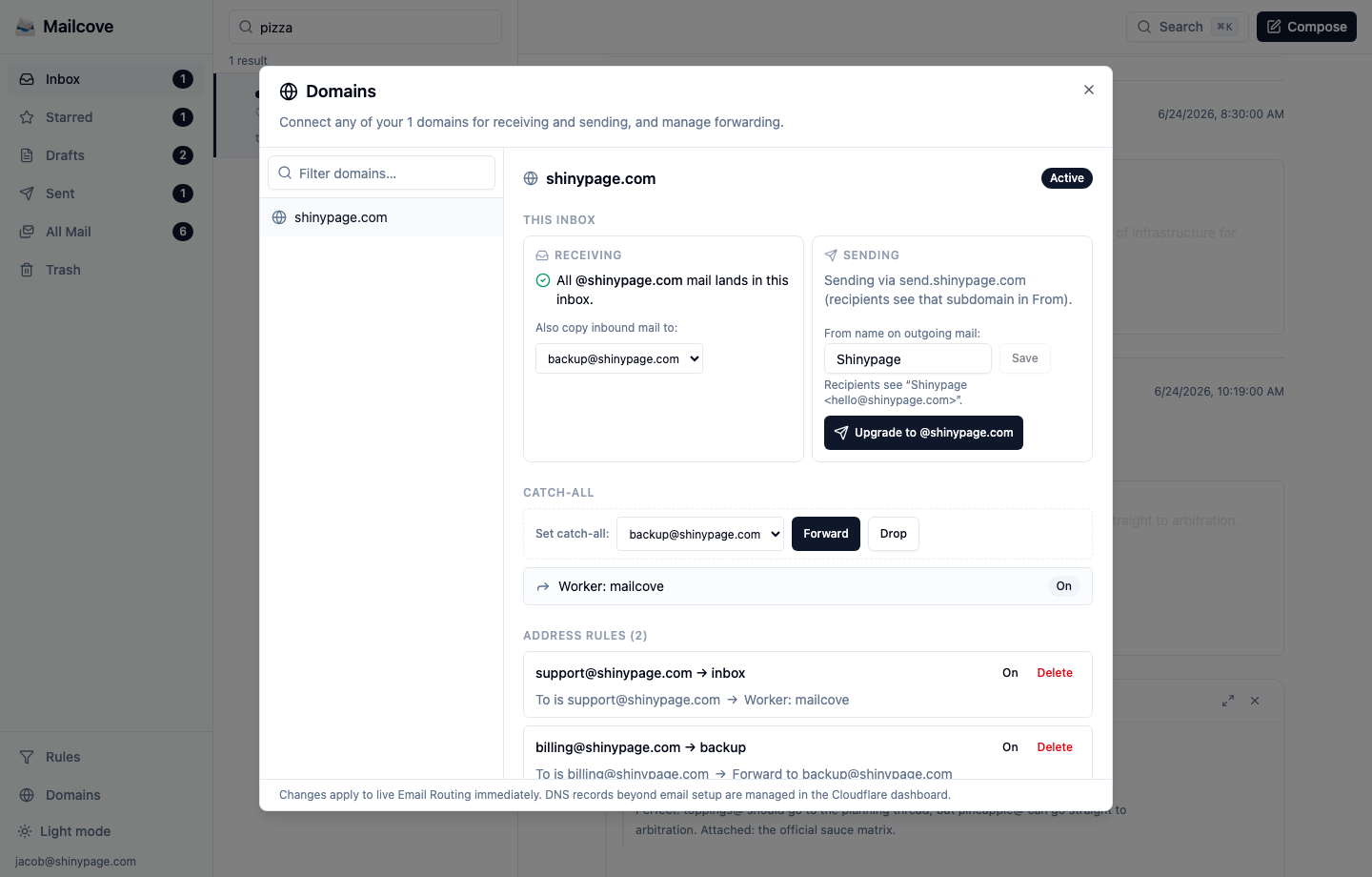
Manage receiving, sending, catch-all behavior, forwarding destinations, and per-address rules for the domains in your Cloudflare account. Changes apply to live Email Routing, so the UI treats them as real infrastructure operations.
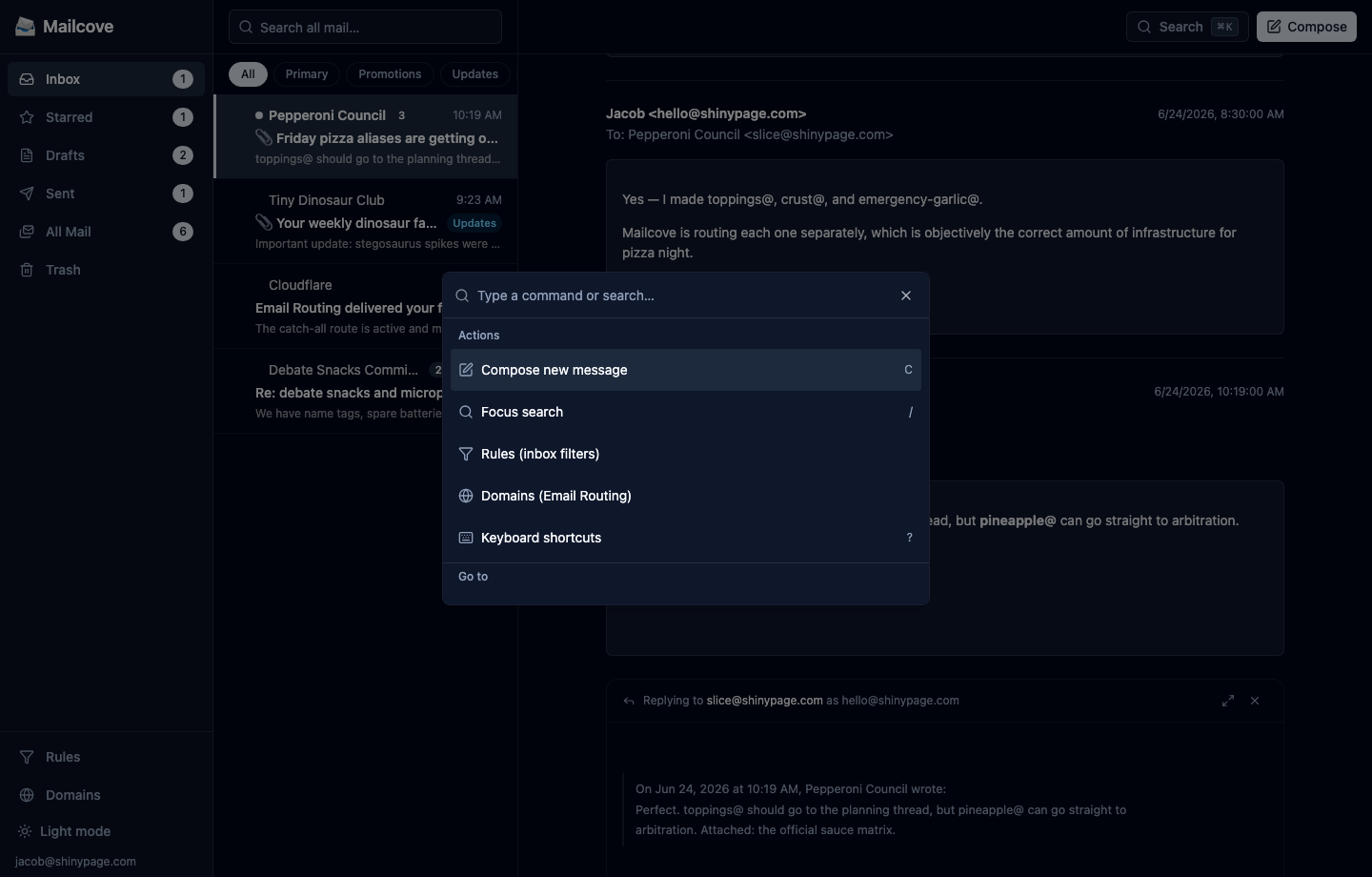
A command palette and shortcut set cover the flow you use all day: compose, search, jump to rules, switch views, archive, star, and reply from the keyboard.
Mail arrives, a Worker wakes up, does the job, and stops. You pay for invocations instead of uptime.
*@shinypage.com hits Email Routing.email() handler parses with postal-mime.POST /api/send.send_email binding sends from your sending domain.Reply-To points back to your real custom-domain address.Threads, folders, unread state, identities, rules, and FTS5 search live in SQLite in your account.
Keep the original message source, parsed bodies, and binary attachments in object storage you control.
Cloudflare handles the mail edge. Mailcove handles parsing, app logic, storage, search, and UI.
Access protects the inbox. Workers AI powers optional summaries and drafts from the thread text you choose to send it.
Bring a Cloudflare account, a domain, and Wrangler. The setup is infrastructure work, but it is the kind you can finish in an afternoon.
git clone https://github.com/JacobPritchett/mailcove
cd mailcove
npm install
# create D1 + R2, apply migrations
# enable Email Routing + Email Sending
# protect the inbox host with Cloudflare Access
npm run build && wrangler deployThe Worker verifies Access JWT issuer and audience before serving private API data.
Email bodies render in sandboxed iframes, with plain messages adapting to light or dark mode and designed HTML still allowed to bring its own styling.
Raw EML, parsed bodies, and attachments stay in your R2. Metadata and search stay in your D1.
Thread text is sent to Workers AI only for summaries and drafts that you request.
No. You deploy it to your own Cloudflare account, using your storage, your domain, and your Access policy.
For the right person, maybe. It is aimed at developers, small organizations, and tinkerers who care more about custom-domain control than consumer-mailbox polish.
Raw messages and attachments live in R2. Message metadata, thread state, rules, and search indexes live in D1.
No. Keep this public website separate from the Access-protected inbox host, for example mailcove.shinypage.com for the site and inbox.shinypage.com for the app.